Etsy inventory management: How to track your items (2026)

After helping new Etsy sellers launch their stores, I’ve found that the built-in Etsy inventory management tools, combined with spreadsheets, help beginners track inventory and manage revenue. But as these sellers offer more products and earn more revenue, these built-in tools and spreadsheets fall short, often resulting in stock errors and missed updates when items sell.
Here’s what Etsy tools and spreadsheets can and can’t do, and when you should consider a third-party software tool. I also picked 5 leading inventory management tools so you can compare them and choose one that fits your Etsy selling needs.
What is Etsy inventory management?
Etsy inventory management is tracking listing quantities, product variations, raw materials, and finished goods across an active shop. It’s a process that helps sellers update stock counts and prevent overselling.
What Etsy’s built-in inventory tools can and can’t do
Etsy’s built‑in tools let you set and adjust quantities for each listing and define variations with their own stock levels. But they can’t send low-stock alerts or track raw materials.
Etsy’s built-in inventory tools can …
- Help with listing quantities: Each listing has a stock count, and Etsy automatically lowers that count when someone places an order. For sellers with a small catalog of finished products, that system usually works fine.
- Variation-level stock: Etsy lets you set separate quantities for variations like ring sizes, but it doesn’t track the raw materials for any product or variation.
- Update new listings: Each Etsy listing acts as its own inventory record and is not automatically linked to other listings’ stock, so any shared quantities must be managed manually or with external software. But if you add another version of the same product (different color, size, etc), you must manually reset quantities every time.
Etsy’s built-in inventory tools can’t …
- Track raw materials: Etsy doesn’t track materials or supplies. For instance, a candle seller using one pound of wax for 12 candles needs to calculate inventory costs manually, typically with a spreadsheet or an inventory management app.
- Send low-stock alerts: The marketplace doesn’t send low‑stock alerts, and listings with 2 units left simply show a smaller quantity number in the dashboard without a warning or automatic notification. Sellers either monitor inventory manually or build outside alerts.
- Perform true COGS tracking: Cost of goods sold (COGS) tracking requires knowing what went into each unit, such as materials, labor, and packaging. Etsy records revenue, but it doesn’t record input costs at the unit level, which means a seller running Etsy's reports alone has no accurate margin data.
When a spreadsheet is enough for Etsy inventory management
A spreadsheet is enough for Etsy inventory management when you are just starting out and have very few listings, or you make to-order products. You’ll need to always update your sheets, but these scenarios fit sellers who use spreadsheets to track their inventory:
- New shops: If you just launched a shop and have no sales data, reorder patterns, or material usage history yet, use a spreadsheet to keep things simple and learn inventory patterns before paying for more complex software.
- Low SKU count: Sellers can easily manage smaller catalogs in a spreadsheet than in dedicated software. You’ll still be able to see your stock counts and updates take seconds.
- Made-to-order products: If you custom-build goods after each sale, use a spreadsheet to track materials and lead times.
- Sellers testing demand: New products need demand data before they need inventory systems. A spreadsheet can track sales and margins without committing to software built for products that may not last.
- Low order volume: At fewer than 10 orders a week, a spreadsheet usually stays accurate without the errors that come from higher sales volume.
When a spreadsheet starts hurting you
Spreadsheets start hurting you when you can no longer manually manage them, and you begin missing sales and counting your stock incorrectly. If you encounter the following scenarios, it’s probably time to consider inventory management software:
- Several missed updates: You can recover from missing an update once or twice. But being unable to update several sales over the course of a few weeks is a sign that it’s time to start looking at inventory management software.
- Wrong stock counts: When consistent stock count errors add up, your entire spreadsheet might be off. That could result in overselling or marking items as sold out when you actually have some in stock.
- Multi-channel selling: Crosslisting your Etsy items to other platforms means every sale in one place requires a manual update in the other. Failing to delete items from other platforms can result in double-selling, which damages your reputation.
- Tax-time COGS problems: Most inventory spreadsheets are built for stock tracking, not tax reporting. If COGS data is missing or incomplete all year, sellers often spend hours cleaning up records before sending them to an accountant.
Etsy inventory management software options: At a glance
After testing 7 Etsy inventory management tools, I picked the following 5. Each of these tools stood out for accuracy and time savings:
1. Craftybase: Best for handmade product cost tracking
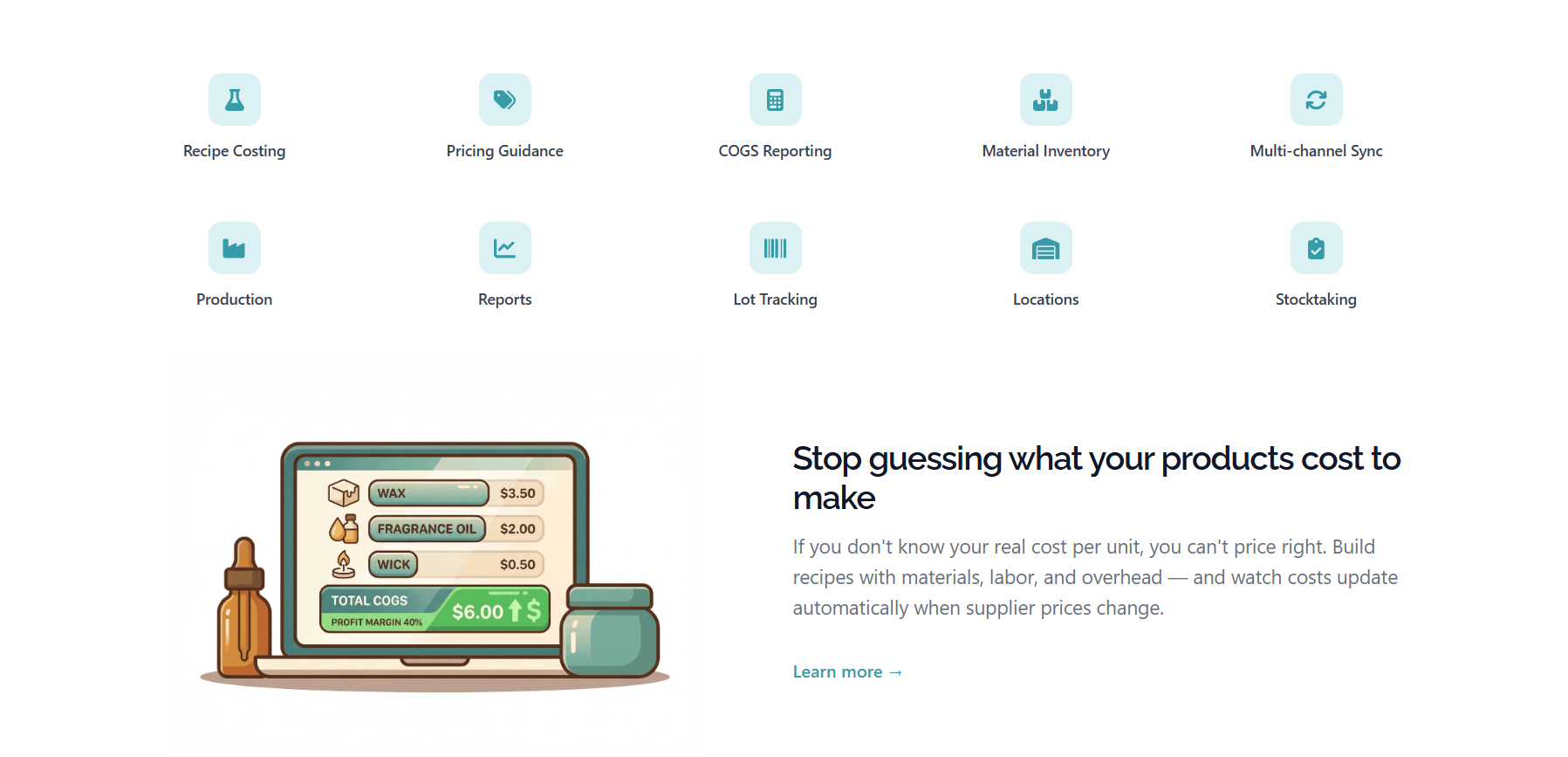
What it does: Craftybase replaces manual material cost calculations and post-sale stock updates across handmade product lines.
Best for: Production-based sellers tracking shared raw materials across multiple SKUs.
Craftybase pros
- Recipe-based cost tracking: Automatically calculates true unit COGS from logged material prices.
- Material-to-listing linkage: Selling one finished good deducts the correct raw material quantities without a manual step.
- Tax-ready reporting: COGS data is structured at the transaction level, not reconstructed at year-end.
Craftybase cons
- Order-volume pricing ceiling: Shops consistently exceeding 1,000 monthly order lines move into higher‑priced tiers, which can reach the low hundreds per month at scale.
- Primarily DTC-focused: Craftybase is designed around direct‑to‑consumer channels, and it doesn’t advertise dedicated wholesale features like tiered pricing or net‑terms workflows.
Pricing
Craftybase pricing starts at $24/month (Pro) and $49/month (Studio).
2. Trunk: Best for multi-channel inventory sync
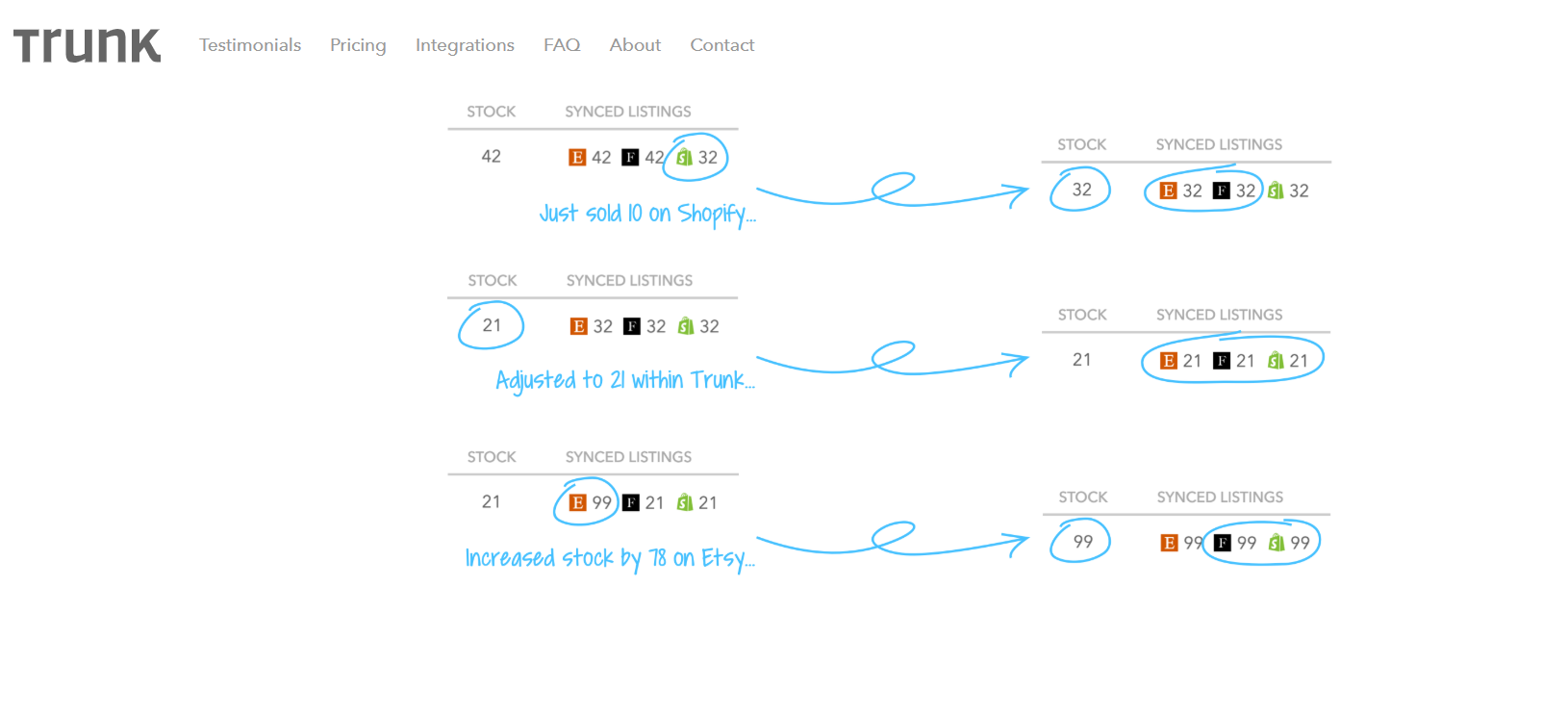
What it does: Trunk keeps stock counts aligned across Etsy, Shopify, Amazon, and other active channels in real time.
Best for: Crafters and finished-goods sellers active on three or more sales channels.
Trunk pros
- Cross-channel count accuracy: A sale on one channel adjusts quantities on other connected channels to keep inventory count accurate.
- Bundle and kit tracking: Selling a bundle automatically reduces the stock count for each item inside it.
- Low-stock alerts: Notifications trigger when stock hits a certain threshold to help prevent overselling.
Trunk cons
- SKU-matching dependency: Channels must share identical SKUs or sync breaks, which creates setup debt for shops with inconsistent naming conventions.
- No COGS visibility: Profit and cost data don’t exist inside Trunk, so cost decisions require a separate tool regardless of plan.
Pricing
Trunk’s pricing plans start at $35/month.
3. Nifty: Best for crosslisting and analytics
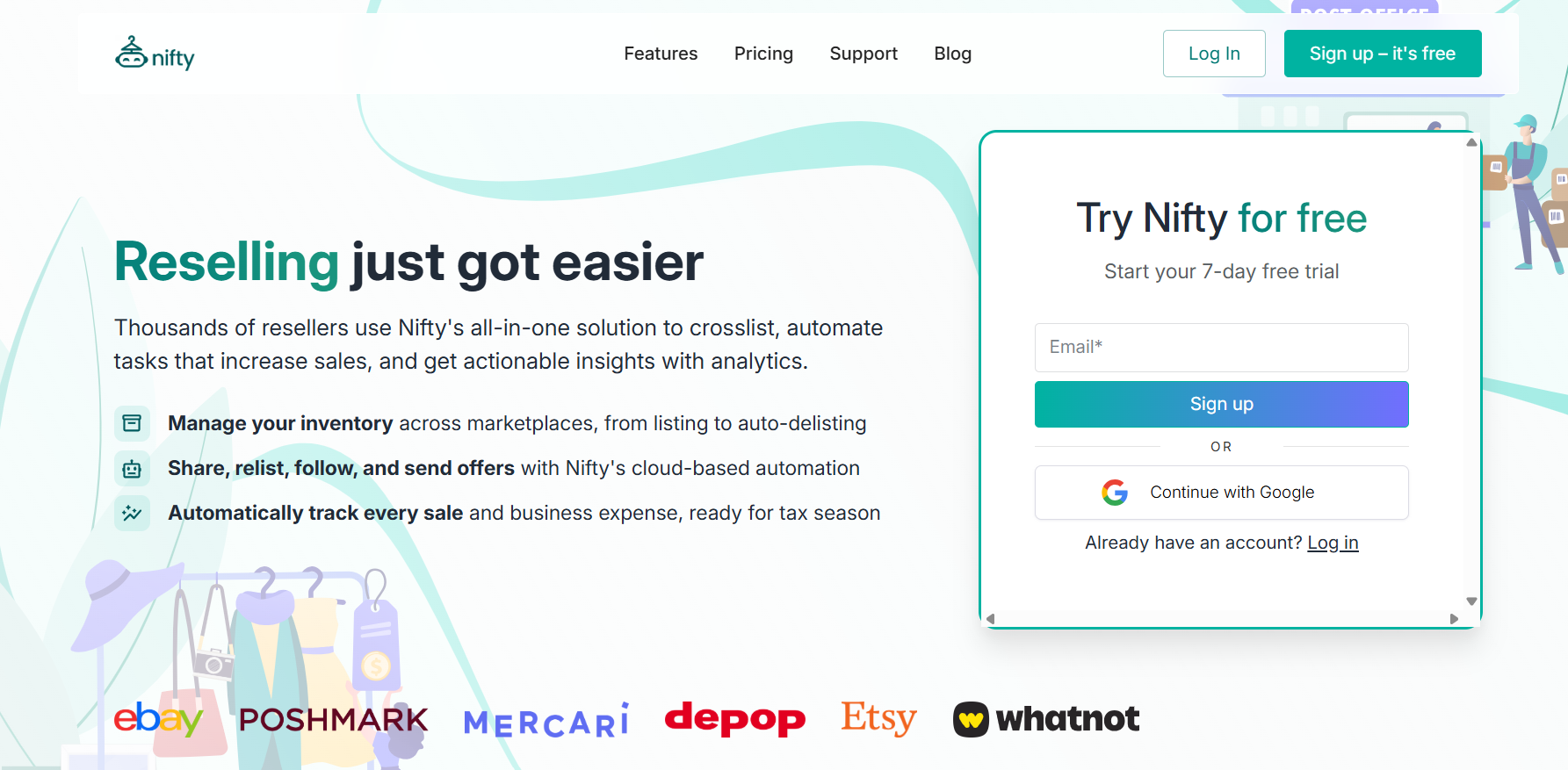
What it does: Nifty is a crosslisting and automation tool that posts listings across Etsy, eBay, Poshmark, Mercari, Whatnot, and Depop from one simple command center.
Best for: Etsy sellers who want to sell their products on other platforms and want an analytics tool to track COGS and profit margins across all connected marketplaces.
Nifty pros
- Auto-delist on all sales: A sold item gets deleted across all active channels to prevent double-selling.
- Per-item profit tracking: Fees, shipping, and COGS pull together after each sale into a single margin figure.
- AI listing generation: Drop in photos, and Nifty’s AI will produce titles and descriptions without writing from scratch per platform. You can prompt the AI to write in your tone of voice if you wish.
Nifty cons
- Lightweight quantity tracking: Nifty focuses on tracking which marketplaces each item is listed on, rather than managing detailed per‑SKU stock levels. High‑volume production sellers may need a separate inventory system.
- Feature count takes time: Learning the photo-editing tool, how the deep analytics works, and other bulk-editing features will take time.
Pricing
Nifty’s Crosslisting Plus starts at $39.99/month.
4. Vela: Best for Etsy listing and stock control
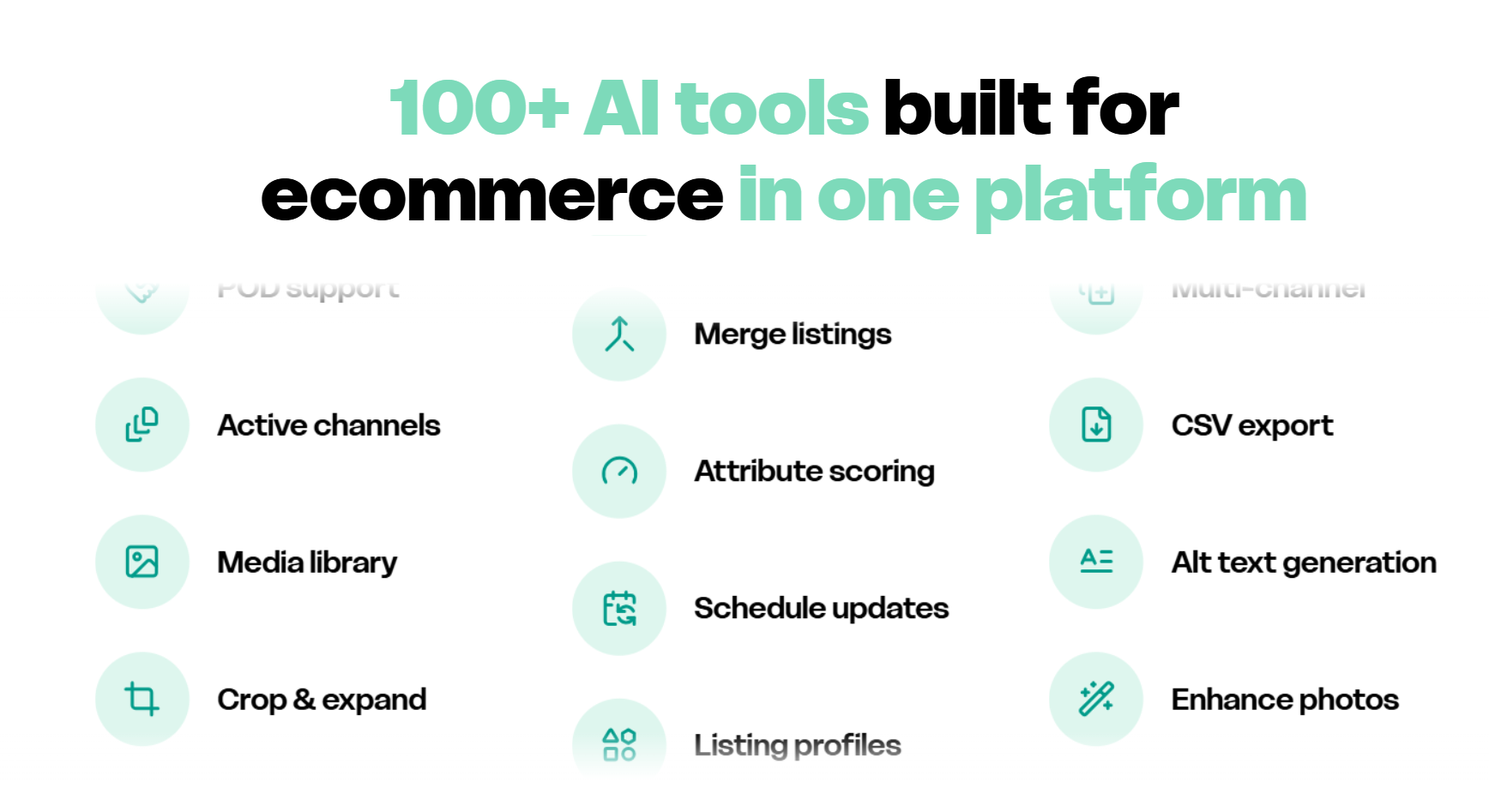
What it does: Vela bulk updates quantities, prices, tags, and titles across hundreds of Etsy listings at once.
Best for: Large Etsy catalogs needing frequent stock and content updates without a sync tool.
Vela pros
- Bulk quantity control: A single edit can push updated stock counts across hundreds of listings in one pass.
- CSV import and export: Inventory changes drafted in a spreadsheet push directly to Etsy without manual entry per listing.
- Access controls for teams: A virtual assistant or staff member can update listings without touching orders, finances, or shop settings.
Vela cons
- Etsy-only inventory logic: Stock figures sit inside Vela with no connection to Shopify, Amazon, or any other channel.
- No real-time oversell protection: During high-traffic periods, stale counts stay live until someone manually pushes a correction.
Pricing
Vela’s pricing starts at $19.95/month.
5. Sellbrite: Best for centralized multi-channel inventory syncing
What it does: Sellbrite centralizes listing updates and removes manual cross-channel stock adjustments.
Best for: Etsy shops selling across several established marketplaces.
Sellbrite pros
- Broad marketplace integrations: Connects Amazon, eBay, Etsy, Walmart, Shopify, BigCommerce, WooCommerce, and Google Shopping from one dashboard.
- Reliable stock syncing: Marketplace sales adjust inventory counts quickly to prevent accidental overselling.
- Bulk catalog management: Large SKU catalogs update faster through centralized editing and imports
Sellbrite cons
- Weak handmade workflows: Raw material tracking and production planning remain completely outside the platform.
- Marketplace-first structure: Small single-channel Etsy shops gain little operational advantage from centralization.
Pricing
Sellbrite has a free plan, with paid plans starting at $29/month.
How to choose the right inventory management system
Each of the five Etsy inventory management tools I picked is a good choice. But each tool serves different needs. Here’s how to pick the right one for your workflow:
Choose Craftybase if you …
Need detailed, recipe-based COGS and raw material tracking for a handmade or production-heavy Etsy business.
Choose Trunk if you …
Sell the same SKUs across several marketplaces and want real-time inventory syncing to prevent overselling anywhere.
Choose Nifty if you …
Crosslist from Etsy to other resale platforms and want per-item profit analytics that combine fees, shipping, and COGS.
Choose Vela if you …
Manage a large Etsy catalog and primarily need powerful bulk editing for titles, tags, prices, and stock levels on Etsy.
Choose Sellbrite if you …
Are established on multiple major marketplaces and want one central dashboard for listings, inventory, and orders.
Avoid Etsy inventory management software if you …
Only sell a few made-to-order items on one channel and can track everything in a simple spreadsheet, or you’re still validating product–market fit and expect your catalog, pricing, and channels to change every few weeks.
Manage your Etsy inventory with Nifty
If you want an Etsy inventory management tool that gives you insights about your top-selling products and cost of goods sold, try Nifty. It’s a crosslisting and automation tool that also connects your Etsy listings to other marketplaces, including eBay, Mercari, and Poshmark.
Here’s why so many Etsy sellers trust Nifty:
- Bulk tools = no busywork: You can schedule drafts to go live while you sleep and set automatic discounts that run deeper over time.
- Photo-editing suite: Spruce up your photos and earn more buyer trust with Nifty’s photo editing tool. Nifty also integrates with Photoroom for background removal.
- Analytics and profits are real: Track sales, fees, COGS, and profit per item in one clean dashboard, so you can see which Etsy listings deserve more stock and which should be retired. You can also set and track seller goals directly from your home screen.
Nifty pays for itself in just a few weeks. Start with a 7-day free trial and see how Nifty can help organize your Etsy listings and reach out to more buyers.
FAQs
1. Does Etsy have built-in inventory management?
Yes, Etsy has built-in inventory management. It lets you set listing quantities and variation-level stock counts. However, it can’t send low-stock alerts or track raw materials, which limits its usefulness and increases overselling risk for growing shops.
2. What is the best inventory management software for Etsy?
The best inventory management software for Etsy depends on your workflow. Craftybase leads for handmade COGS tracking, Trunk for multi-channel syncing, and Nifty for crosslisting with per-item profit analytics. All of these tools cut the time-consuming manual updating.
3. Can Etsy sync inventory with Shopify?
Yes, Etsy can sync inventory with Shopify, but you’ll need a third-party tool to do so. Trunk or Sellbrite connects both channels so a sale on one platform instantly adjusts stock on the other, which avoids overselling across storefronts.
4. Should Etsy sellers use spreadsheets or software?
Etsy sellers with fewer than 10 weekly orders or made-to-order products can manage well with a spreadsheet. However, when stock errors, missed updates, or multi-channel selling appear, it may be time to move on to dedicated software. It can reduce overselling risk and save hours of manual reconciliation each week.


.png)