
How to relist on Mercari: 4 simple steps (2026)
.png)
Many sellers learning how to relist on Mercari confuse relisting with promoting, which lowers your item's price by at least 5% to increase visibility.
To relist an item on Mercari, save your existing listing's details, delete the old listing, then create and publish a new one with refreshed photos, descriptions, and pricing. Mercari will treat it as a brand-new post, but only relist items older than 30 days.
Here are the detailed steps I use to relist items on Mercari after several years of selling on the platform.
How to relist on Mercari
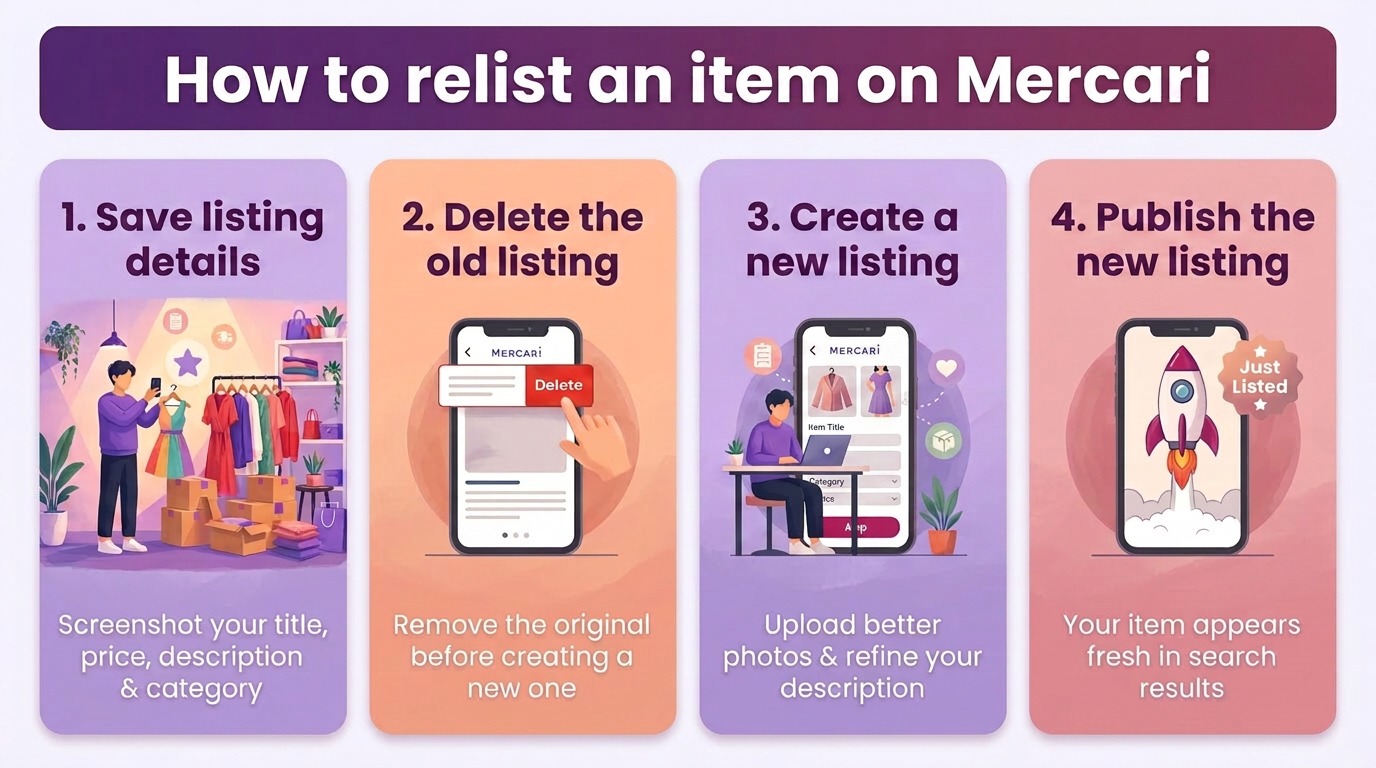
Step 1: Open your existing Mercari listing and save the listing details
Log in to your Mercari profile, tap “Selling,” and open the listing you want to replace. Before you delete or copy anything, take a screenshot of the description, price, condition, and category and save it for reference.
Keeping records helps you update the listing with actual new info. It also helps you decide what to keep the same and what to improve when you relist the item.
Step 2: Delete the old listing
Open the listing and choose Delete, Deactivate, or Mark as Unavailable, depending on the status. Then confirm your choice.
To avoid problems, end or delete your original listing before you create a new one for that item. This step also prevents buyer confusion. Mercari’s rules say each listing must show an item that is actually for sale. The platform may remove listings if sellers post the same item more than once.
Step 3: Create a new listing
Just like creating a new listing on Mercari, upload the photos again from your camera roll. Or, take better photos of the product and upload them instead.
Paste your saved title and description into the text box and improve the wording. Look up listings for similar products to see how other sellers write their descriptions.
Also, check their prices. Pricing your item close to similar listings helps keep your product competitive.
Step 4: Publish the new listing
When you submit the new listing, Mercari treats it as a brand-new post with a new listing time. This can help your item appear for buyers who sort results by “Just listed” or browse recently added items.
When you relist, your item gets another chance to appear as new in search results and feeds. The product hasn’t changed, but the new listing time helps more buyers see it.
When you should relist items on Mercari
Timing a relist wrong wastes the algorithm boost and could result in penalties. These are the situations where starting over actually changes the outcome.
- Listing has sat at least 30 days: A post that has been sitting for at least 30 days gets buried under newer inventory. But don’t relist earlier than 30 days, as many sellers say doing so could get you into trouble.
- Views and likes have stalled: Low engagement tells the algorithm your listing isn't worth appearing in search results.
- Seasonal demand: Pulling that winter coat down in March and relisting it next October puts it in front of buyers who are actually looking.
- Photos or descriptions need work: A bad first impression compounds over time. Compare your listing with top-ranking competitors and note their stronger photos or clearer descriptions.
Does relisting help items sell faster on Mercari?
Yes, relisting can help items sell faster on Mercari, especially if items have sat for a few weeks. When you relist an item, Mercari creates a new post with a new listing time, which can help the item appear again for buyers who browse “newly listed” items. It can also bring new views from shoppers who did not see the older listing.
But relisting alone doesn’t guarantee that your items will sell. You’ll need strong keywords, clear photos, and competitive prices to perform better.
I’ve always found success reaching buyers on Mercari when I make improvements to each relisted item. For instance, I usually take new photos, fix my descriptions, and change the pricing to align with the market. This approach increases visibility and can help slow-selling items move faster.
Relisting vs. promoting on Mercari: What’s the difference?
Relisting means ending an existing listing and creating a new one for the same item. Promoting an item uses a Mercari tool to lower its price.
When you relist, the item then appears as newly listed and can show up again when buyers browse recent listings or search results. However, Mercari explicitly states in its guidelines that users are restricted from “excessive reposting.” So, avoid penalties by only relisting every 30 days.
Promoting a listing works differently. Use Mercari's Promote button to permanently lower your listing's price by at least 5%. Mercari then boosts that listing in search results and notifies everyone who liked it about the price drop.
Relist on Mercari easily using Nifty
If you’re wondering how to relist an item on Mercari without any manual steps, try Nifty, a crosslisting and automation tool that lets you schedule when you can relist your Mercari items so you can spend more time connecting with buyers.
Here are more benefits that Nifty brings:
- AI listing: Snap a pic and let Nifty's AI build a high-quality listing, with SEO-optimized titles and descriptions, and trending hashtags already filled out for you. Plus, it's cloud-based, mobile-friendly, and easy to use.
- Crosslist now: With a couple of clicks, post your items across Poshmark, eBay, Mercari, Depop, and Etsy. No copy-paste, no multi-tab hopscotch. (More marketplaces coming soon!)
- Automatic delisting? Handled: When you make a sale, Nifty's sales detection auto-delists that item from every marketplace. Say goodbye to double-selling disasters and "sorry, it's already gone" apology messages.
- Bulk tools = no busywork: Share and relist daily with just a few clicks. Update or discount dozens of items at once. You can even schedule drafts to go live while you sleep.
- Analytics and profits are real: Track sales, fees, top performers, and slow movers in one clean dashboard, so you can actually see what's working and what's just dead space.
Nifty pays for itself in just a few weeks. So … what are you waiting for? Start with a 7-day free trial and see how Nifty can help you relist and sell on Mercari faster.
FAQs
1. Does relisting delete likes on Mercari?
Yes, relisting removes all existing likes and watch counts, resetting your item's social proof. Start fresh with an updated price or photos to attract new buyers and reduce the risk of stale listings hurting your visibility.
2. How often should you relist on Mercari?
You should relist on Mercari every 30 days. This limit keeps your item appearing in recent search results and "Just Listed" feeds, maximizing exposure to active shoppers. If you relist constantly, Mercari may restrict your account because you’ve violated their policies.
3. Can you list the same item multiple times?
No, you can't list the same item multiple times on Mercari. Only one active listing per item is allowed. Instead of fully relisting your item, edit your existing listing to refresh it. Although editing doesn’t give a big boost to the algorithm, it avoids duplicate-listing penalties while still giving your item a visibility boost. If the item doesn’t sell after 30 days, relist it.


.png)
.png)
.png)